Printing
From business cards to brochures, order your next print at Quality Press. Home of the fastest printers in the west.
Your trusted commercial printing company in Western Australia.

From business cards to brochures, order your next print at Quality Press. Home of the fastest printers in the west.
Expert signage printing for impactful displays. Vibrant colours, durable materials and custom designs to elevate your brand.
Premium promotional gifts, branded workwear and eco-friendly products. Promote your brand sustainably and stylishly.
We provide custom printed packaging solutions. Creative, sustainable and high-quality designs tailored to your requirements.
Quality Press are the team you can trust, being at the forefront of commercial printing in Australia for over 50 years.
The easiest option: Send us a print-ready PDF.
We’ll check your artwork before it goes into production and let you know if anything needs attention.
Need help with your artwork? Contact your account manager or
| Your artwork should be the same size as the finished product. |
If colour or images go right to the edge, extend them 3 mm past the cut line.
Keep text and important graphics at least 5 mm inside the finished edge.
| For best results, images should generally be 300 dpi at their final size. |
Print colours can look different from colours on your screen. We’ll help if you’re unsure.
For most jobs, a properly prepared PDF is the easiest and safest format to supply.
Other files
We can sometimes work with native files such as InDesign, but you’ll need to supply the fonts and linked images as well.
Send us what you have. We’ll let you know if there are any problems.
Your artwork might look fine on your monitor but appear blurry when printed.
You may end up with a thin white edge around the finished piece.
Colours on your screen aren’t always an exact representation of how they will look in print.
Fonts that aren’t embedded or supplied correctly can change how your artwork looks.
If the document isn’t set up to the correct size, it may need to be adjusted before printing.
Need help with your artwork? Contact your account manager or
If you are creating your artwork in Canva, please follow our guide for setting up and exporting your artwork correctly for print.
If you’re preparing artwork for commercial print, the information below covers the technical requirements we use at Quality Press.
For most customers, a print-ready PDF is the easiest option. If you’re unsure about any of these requirements, please contact your Quality Press representative before submitting your artwork.

PDF is our preferred artwork format. A correctly prepared PDF helps us move your artwork directly into production and reduces the risk of missing fonts, images or linked elements. For professional print production, PDF/X is recommended where appropriate.
If supplying an InDesign or other native layout file, please include:
Where possible, also provide a PDF proof so we can compare the supplied file with the intended artwork.
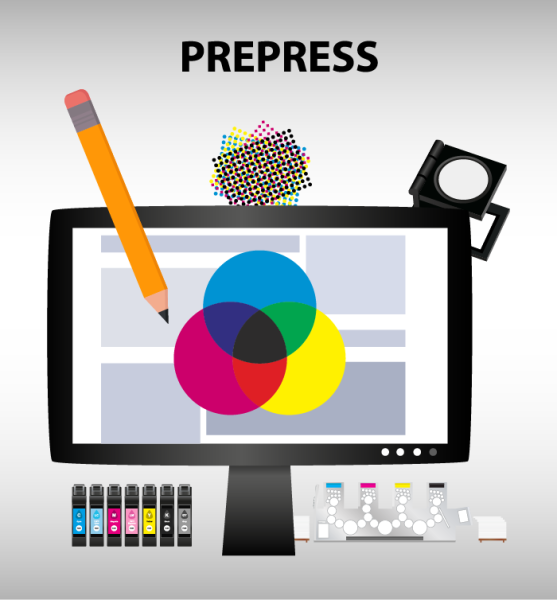
Artwork should be supplied at the finished trim size.
Where artwork runs to the edge of the finished piece:
Important text, logos and other critical elements should generally be kept at least 5 mm inside the trim edge.
This allows for normal movement during trimming and helps prevent unwanted white edges.
For products with unusual shapes, folds, die-cuts or special finishing, please follow the specific artwork template supplied for the job.
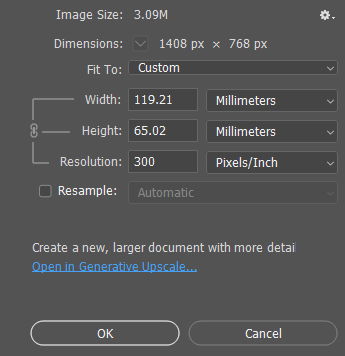
Increasing the resolution of a low-resolution image doesn’t create additional detail. If an image is already too small or blurry, it may need to be replaced with a higher-quality version.
For standard four-colour process printing, artwork should be prepared in CMYK.
Spot colours
If your job has been quoted with spot/Pantone colours, make sure the correct spot colours are clearly identified in the artwork.
For CMYK-only jobs, remove any unwanted spot colours, as they can cause unexpected separations or colour results.
RGB is intended primarily for screens. If RGB elements are supplied, they may need to be converted to CMYK before printing.
If accurate colour reproduction is important, discuss this with us before preparing the final artwork.
Printed colour can vary depending on the paper or stock, printing process and print run. Colours viewed on an RGB monitor should not be treated as an exact representation of the final printed colour.
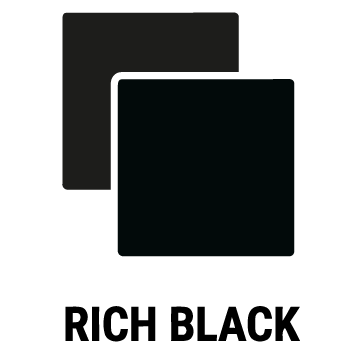
There is a difference between 100% black and rich black.
For large solid black areas, Quality Press currently recommends a rich black build of:
60% Cyan
40% Magenta
40% Yellow
100% Black
This is particularly relevant for designers preparing large areas of solid black.
Small text should generally remain 100% black rather than using a rich-black build.
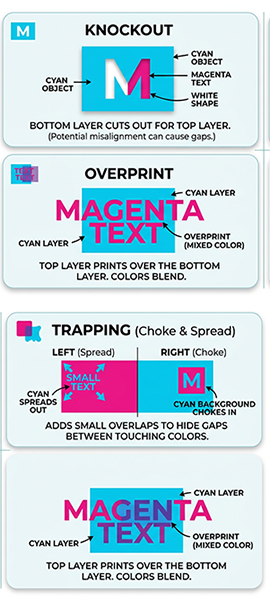
Do not apply your own trapping settings.
Quality Press applies trapping as part of the production process.
An object set to overprint prints over the colour underneath it.
A knockout removes the underlying colour where the object is printed.
Check your overprint settings carefully, particularly for white objects and small elements, as incorrect settings can cause objects to disappear or colours to change.
For example, different variations of what appears to be the same Pantone colour can actually create separate colour plates/separations.
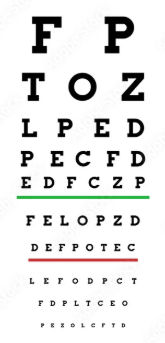
Avoid extremely fine “hairline” rules, as they may not reproduce reliably in print.
For reversed-out text, the current Quality Press specification recommends avoiding type smaller than 7 pt.
For particularly small text, fine lines or detailed artwork, the substrate and printing process can affect the result, so please discuss these requirements with us before production.
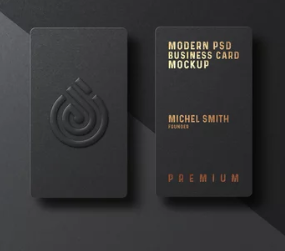
For jobs involving special finishing, artwork may need additional separations or guides.
This can include:
Dielines, embossing and foil guides should be supplied as separate overprinting separations where required.
For packaging and custom die-cut products, always use the specific dieline supplied for your job rather than creating your own cutting template.
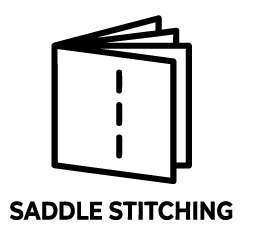
For saddle-stitched publications, the position of pages can shift slightly as the publication is folded and trimmed.
Quality Press applies creep to the inner pages as part of production. If your publication has a large page count or particularly precise layout requirements, speak to your sales representative when preparing the artwork.
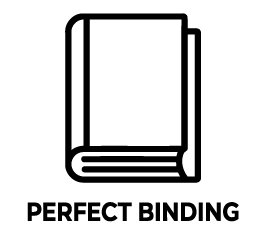
Perfect-bound books require artwork to account for:
Spine and ink-free-area measurements depend on the finished specification, so please contact your Quality Press representative for the correct measurements before preparing the final cover artwork.
File
Images
Fonts
Bleed
Colour
Finishing
Proof
Once your artwork is ready, you can upload your files through the Quality Press Client Portal.
If you already have a login and password, upload your files through the Client Portal.
If you don’t have access yet, contact us and we can arrange your login details.
A colour-managed proof showing the imposed artwork to provide a more accurate representation of the expected printed result, including colour, images and layout.
Some colour variation may occur due to differences in the proofing and production processes, including the printing method, stock, finishes, coatings, laminates, lighting and spot/Pantone colours.
Spot colours shown on a proof may be simulated and should not be considered an exact representation of the final printed colour.
A digitally printed mock-up used to check the finished product, including content, layout, pagination, folding, binding, positioning and general appearance.
It is not intended to be 100% colour accurate, and colour may vary from the final production result, particularly with offset printing, specialised stocks, finishes and spot/Pantone colours.
As a general rule, Quality Press provides a digital soft proof for customer approval before production.
It is intended for checking content, spelling, layout, positioning, pagination and general appearance, rather than exact colour reproduction.
The customer is responsible for carefully checking and approving the proof before production.
If any changes are made to the artwork after a proof has been approved, the revised artwork should be checked and approved again before production.
Quality Press will provide a digital soft proof of the revised artwork for customer approval. It is the customer’s responsibility to carefully check all content, spelling, layout, positioning, pagination and any requested amendments before approving the revised proof for production.
Where a further imposed flat sheet proof or digitally printed mock-up is required, this can be supplied on request and may incur an additional cost.
Once final proof approval has been provided, Quality Press will proceed with production based on the approved artwork.
You don’t need to be a print expert to get your artwork ready for printing.
If you’re unsure about anything, send us your artwork and our team can let you know if there are any issues that need to be addressed before production.
For most printed materials, images should ideally be around 300 dpi at their final size.
Images taken from websites or copied from social media are often too low resolution for good-quality printing.
Your screen uses light to display colour, while printing uses ink. Because of this, colours on your monitor may not look exactly the same when printed.
If colour matching is important, let us know when you place your order and we can advise you on the best option.
Yes. We check supplied artwork as part of the production process. If we find something that needs attention, we’ll let you know before proceeding.
For more complex artwork, or if you’re unsure how your file should be set up, our team can also advise you before you submit it.
Yes, depending on the job. PDF is generally preferred, but we can work with native artwork files when required.
If you are supplying a working file, you may also need to provide the fonts and linked images used in the document.
Yes. We can make adjustments to get your artwork ready for print, and we can also create artwork from scratch if needed.
If artwork preparation or changes are required, we’ll assess what is needed and include the artwork cost in your quote before proceeding.
Yes. If you need help creating or preparing your artwork, let us know what you’re printing and what you have available. We can advise you on the options.
Different products can have different artwork requirements, particularly packaging, labels, folders, boxes and products with special finishing.
We’ll provide specific artwork instructions where needed, so you don’t have to work it out yourself.